

Your cleaning company, on one board.
Easy Clean App is where the visit lives. The schedule, the crew, the invoice, and the client text used to sit in five different places. Here they sit on the same job — on iPhone, Android, and the web.
This is the product, not a mockup.
Screens from Easy Clean App as it runs today: the October board, the crews, the invoices, the leads, the company number, and the live map.
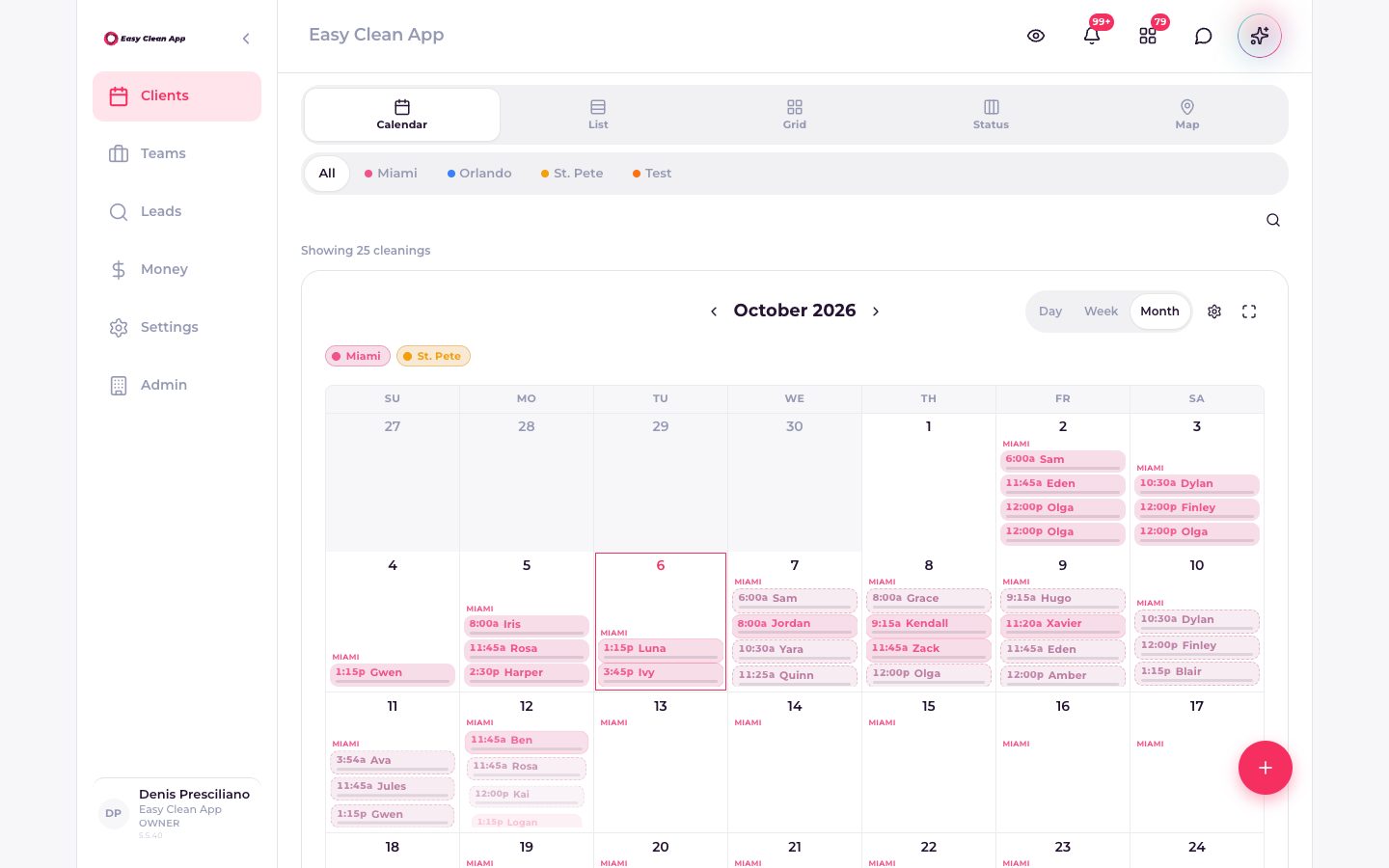
October 2026 on the calendar. Miami and St. Pete, with each visit on its day.
The benefit is a quieter Monday.
Each part of the app removes a chase: finding the job, telling the client, knowing the crew arrived, and getting paid.
The week is visible before anyone texts you.
Calendar, list, grid, status, and map are the same visits. Filter by crew. Jump to today, the week, or the month. A double-book shows up on the board, not in a thread you have to scroll.
- Day, week, and month on one calendar.
- List view with address, price, and length.
- Status columns for what is scheduled, in progress, and done.
The drive is part of the schedule.
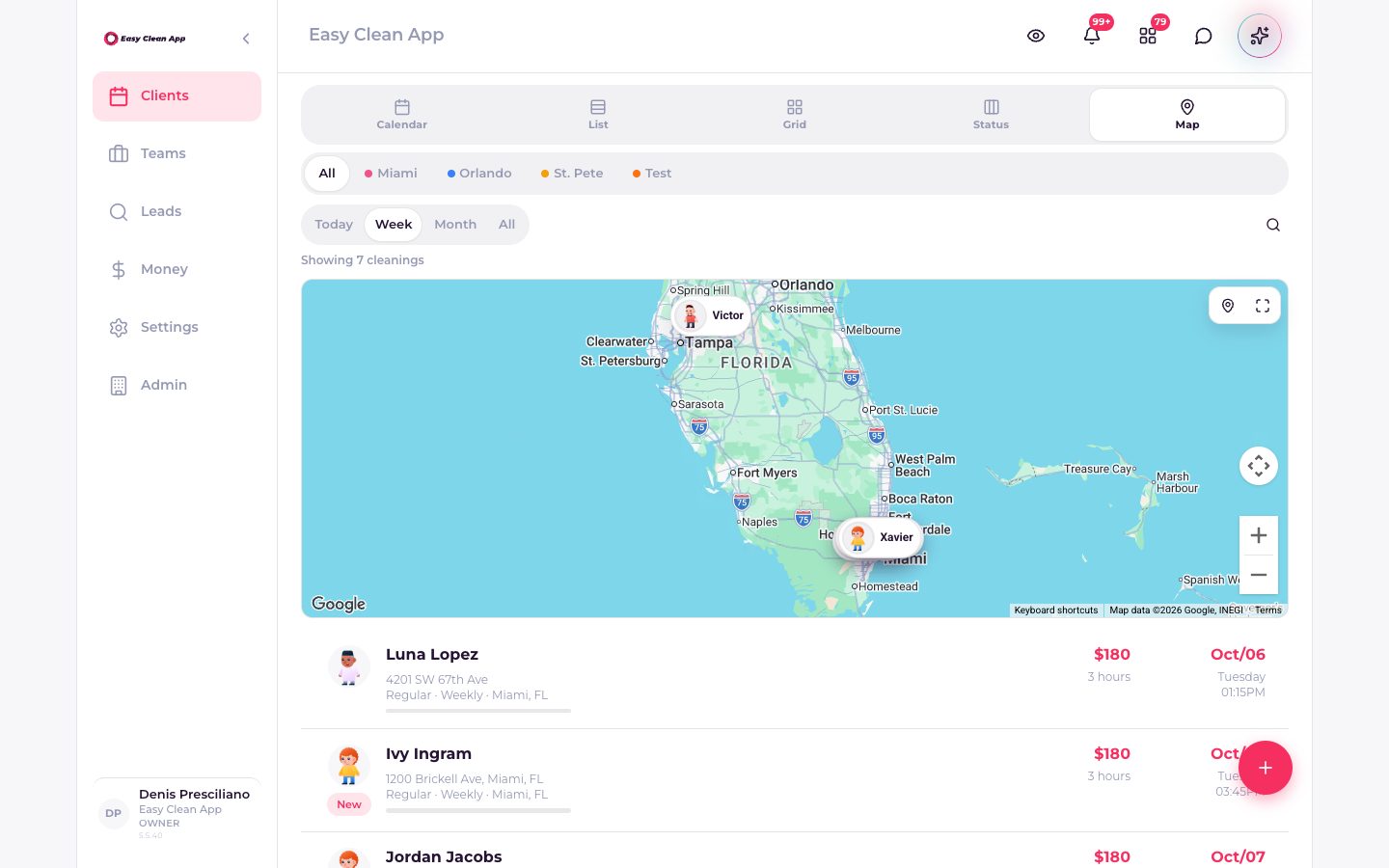
The map is the week, not a separate app. You see which homes are near each other and which crew is already in that city, so the van spends its time at the house.
- Today, week, month, or everything on the map.
- Filter to one crew before you rearrange the day.
- Open the visit from the pin.
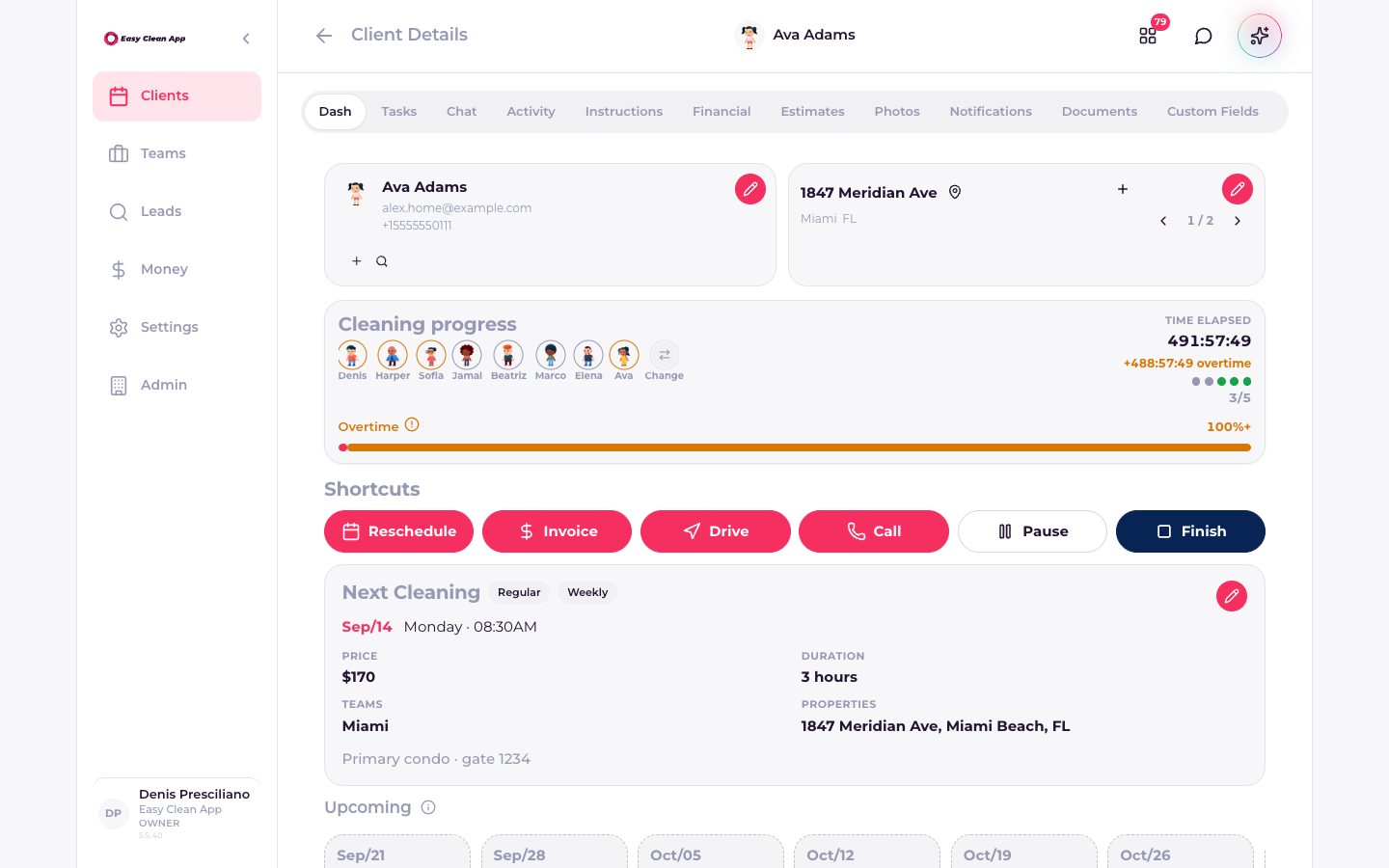
The home is the record.
A client is not a row in a spreadsheet. The profile holds the property, the next cleaning, the price, the team, the notes, and the buttons you actually use on the day: reschedule, invoice, drive, call, pause, finish.
- Tasks, chat, activity, instructions, and financials on the same person.
- Estimates, photos, documents, and custom fields stay attached.
- Upcoming visits sit under the next one, so the recurrence is obvious.
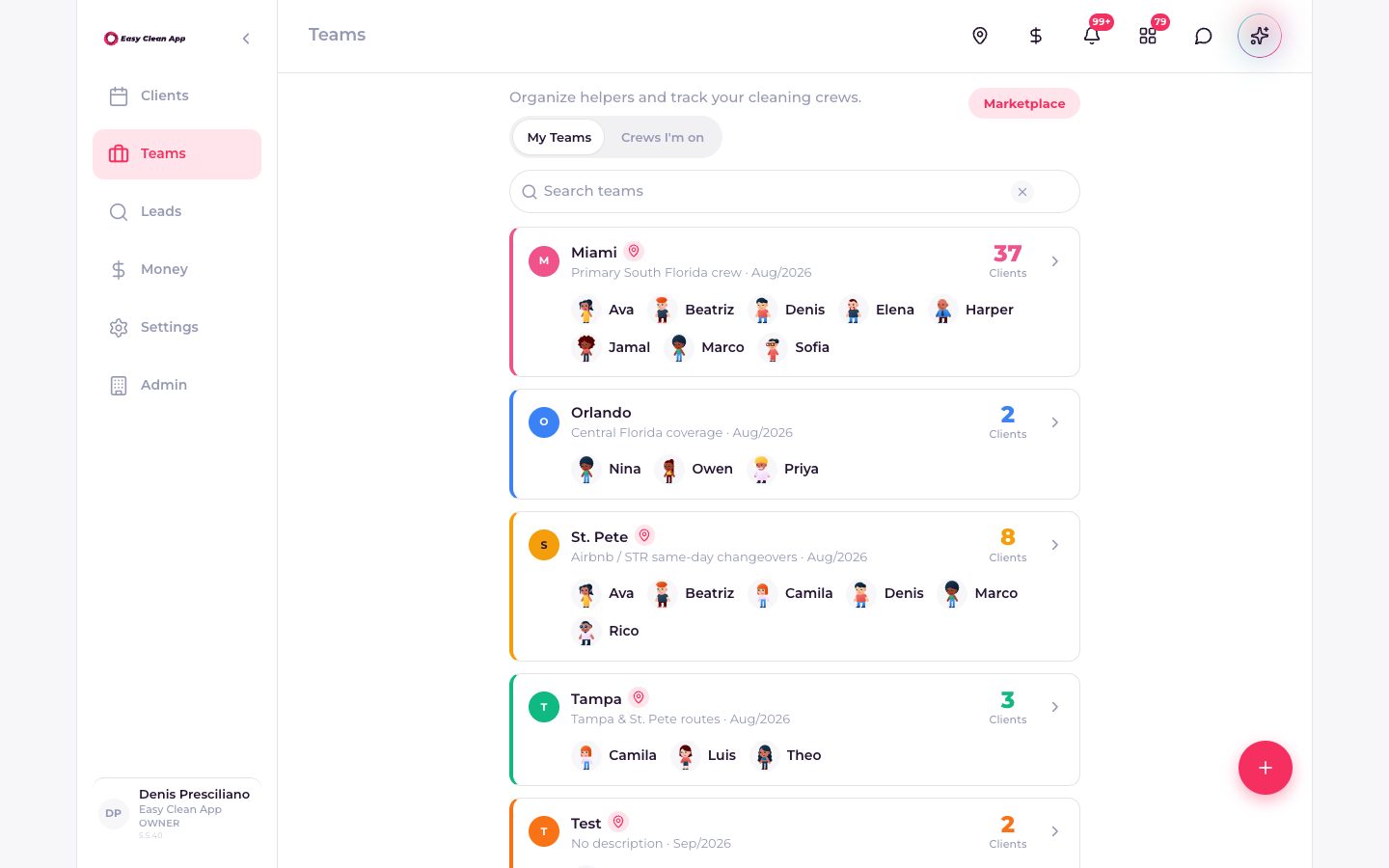
A crew has a name and a count.
Helpers are on a team, and the team shows how many clients it carries. When someone calls out, you reassign the visit. You are not asking a group chat who is free.
- Your crews, and the crews you are on.
- People, city, and client count on the card.
- A marketplace when you need extra hands.
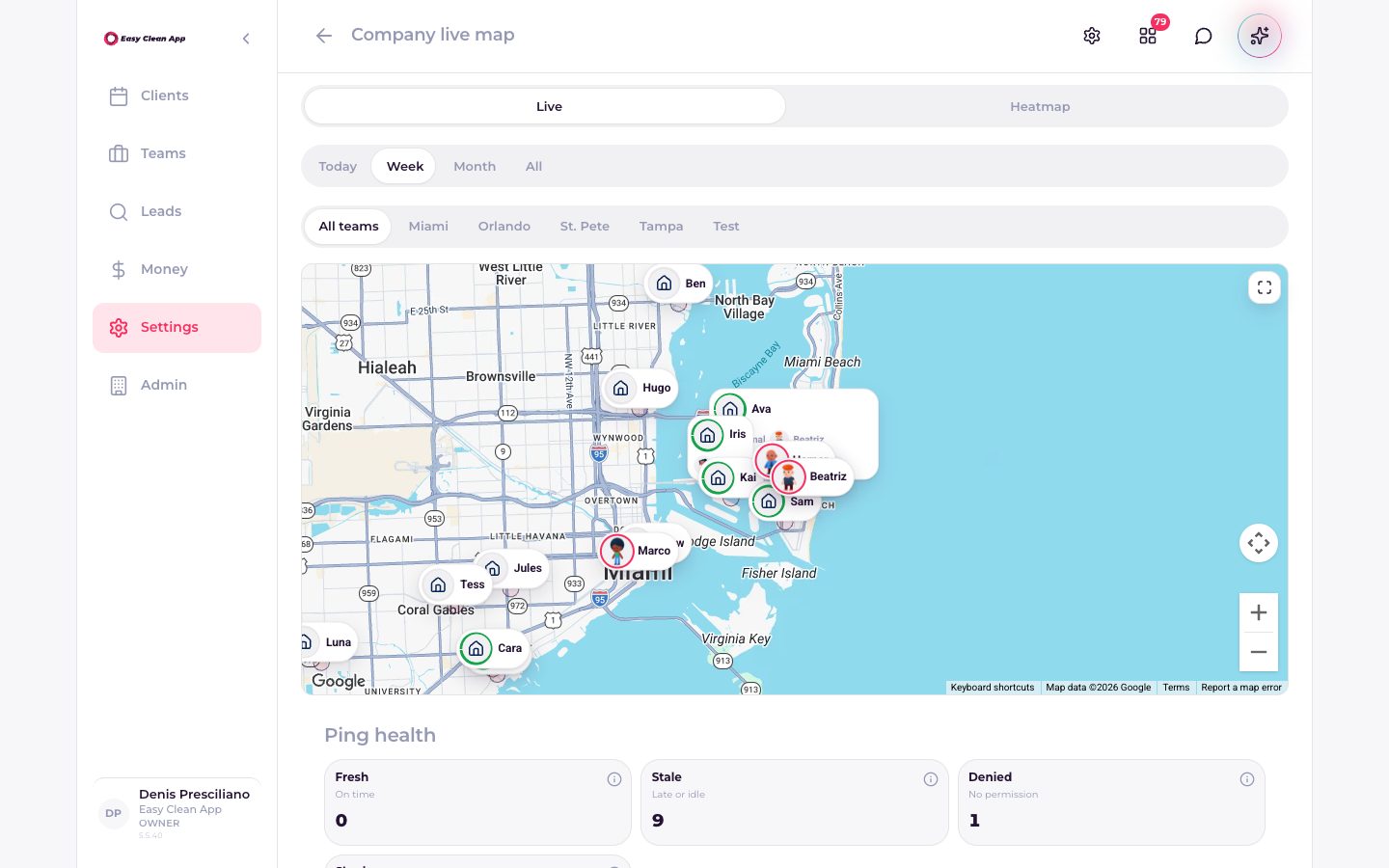
You can see who is at the house.
GeoFence is a live map of the company. Crew pins sit on the properties. A drive-by does not count as a visit: dwell rules decide when someone has actually arrived. Payroll and the client both get hours that match the home.
- Live map or heatmap, by today, week, or month.
- Filter to one team.
- Rules for auto clock-in at the property.
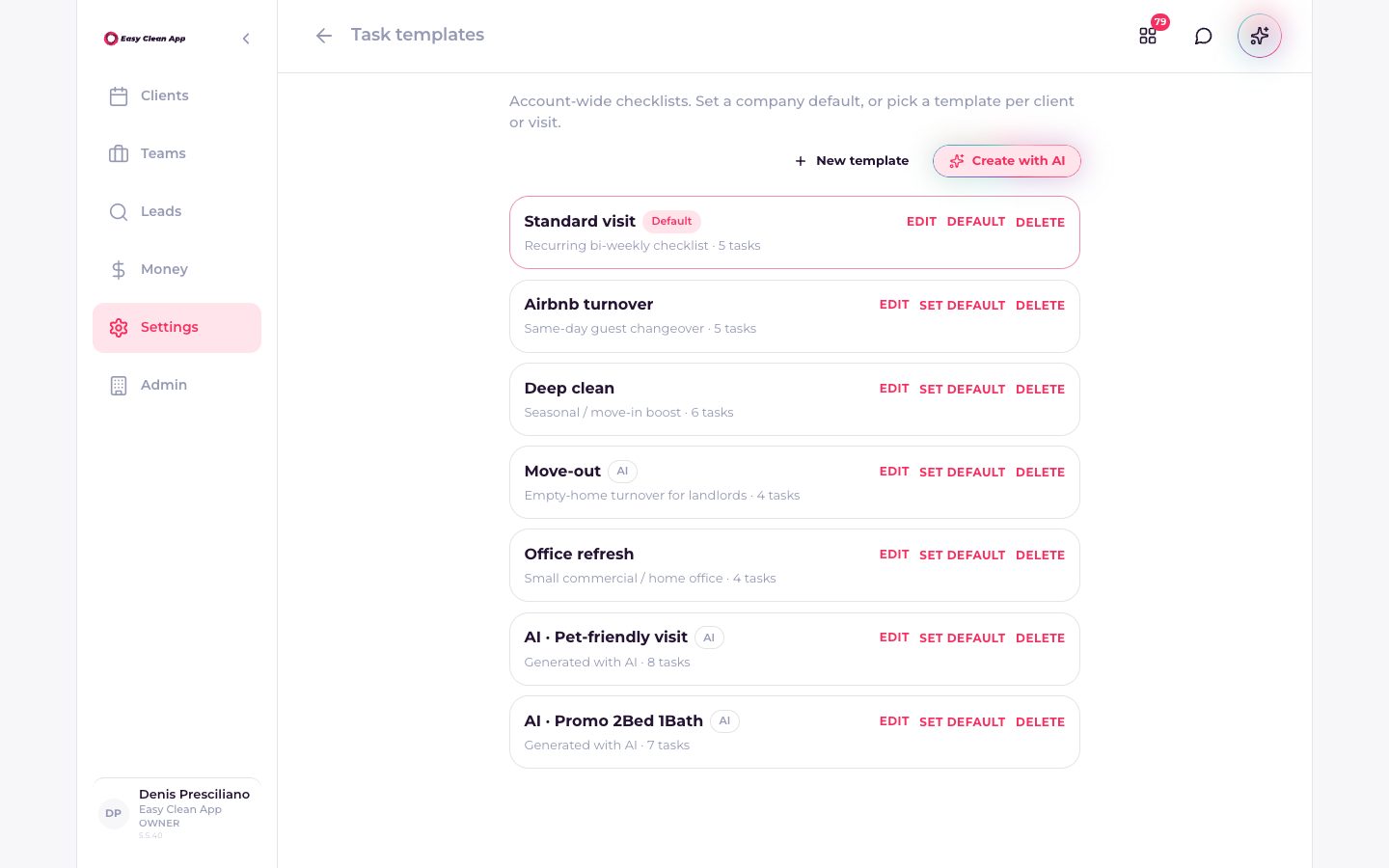
The same rooms, every time.
Checklists are company templates: a standard visit, an Airbnb turnover, a deep clean, a move-out. Set one as the default, or pick a template per client. Finish can wait until the tasks are done.
- Reusable lists, including ones created with AI.
- A default for the company, and overrides per client.
- A setting that requires every task before Finish.
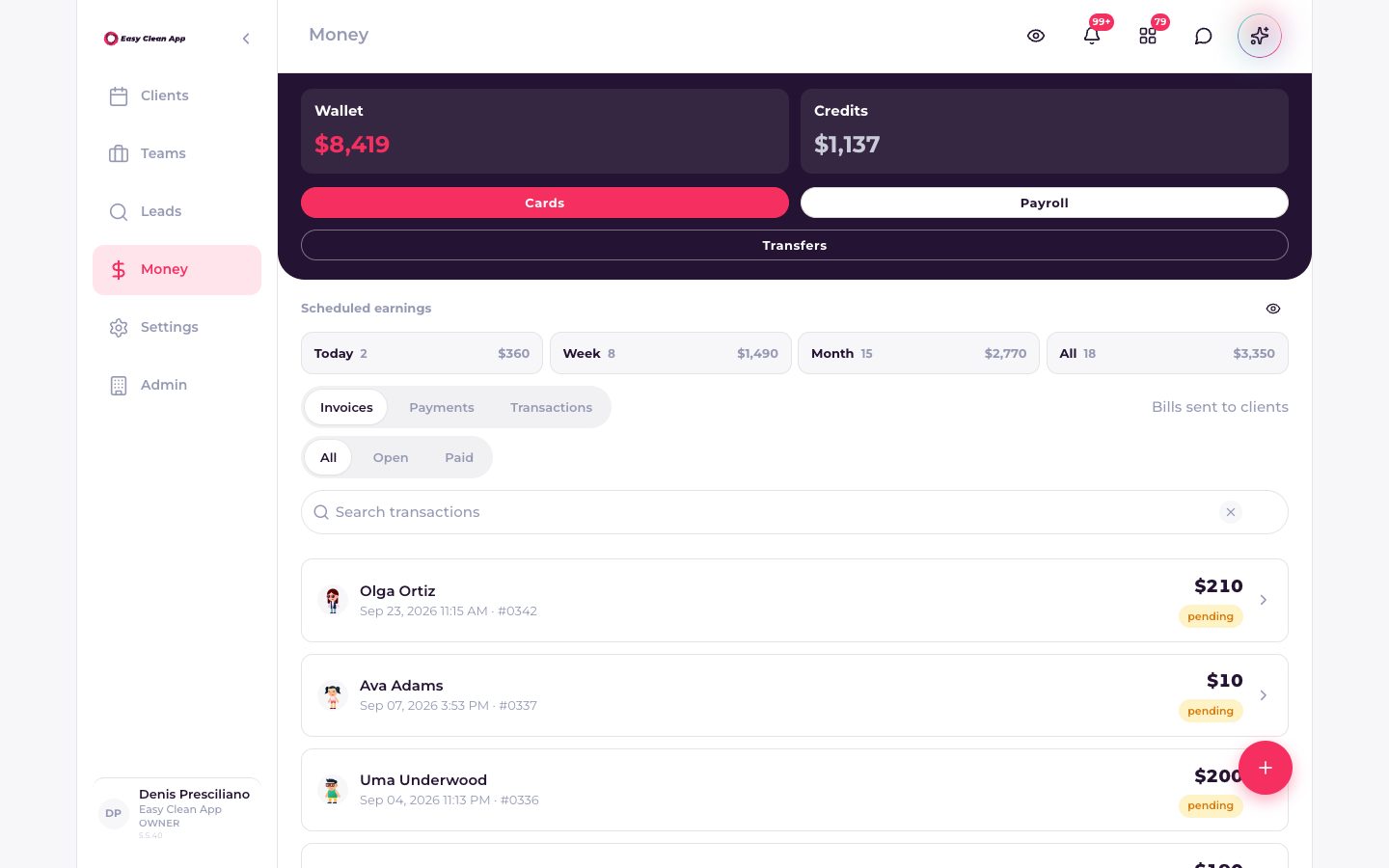
The invoice is already next to the job.
The money screen shows the wallet, credits, what is scheduled to earn today and this week, and the invoices themselves. Open and paid are filters, not a second notebook. Payroll reads the visits once the crew is on the clock.
- Invoices, payments, and transactions in one place.
- Cards on file and transfers when you want them.
- Today, week, and month earnings without rebuilding a sheet.
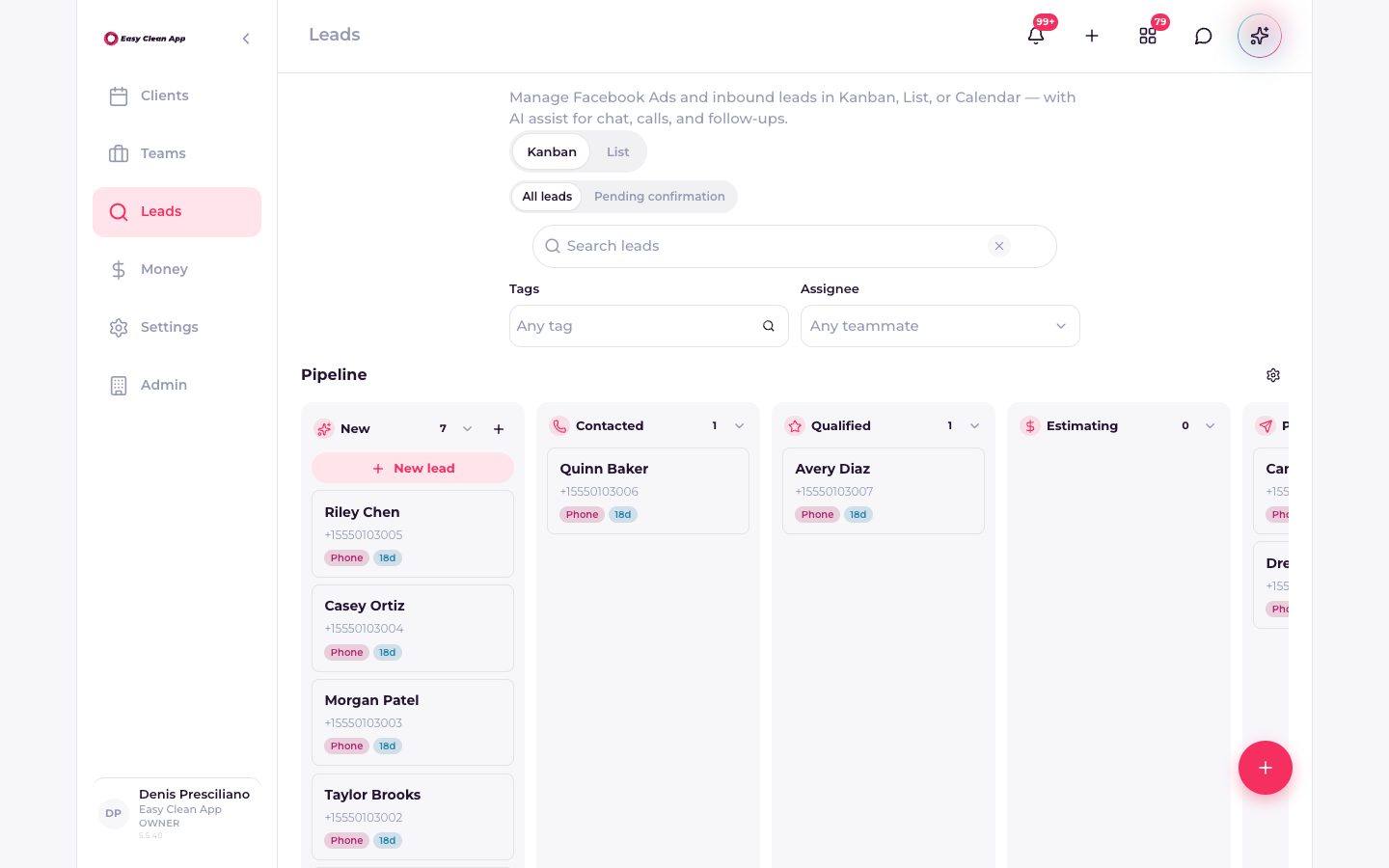
A new inquiry has a stage.
Leads from ads and inbound messages sit on a board: new, contacted, qualified, estimating. A won lead becomes a client and a visit. It does not stay in a message request from last week.
- Kanban or list.
- Estimates, notes, tasks, and documents on the lead.
- Assign it to a teammate before it goes cold.
Clients hear the company, not a personal cell.
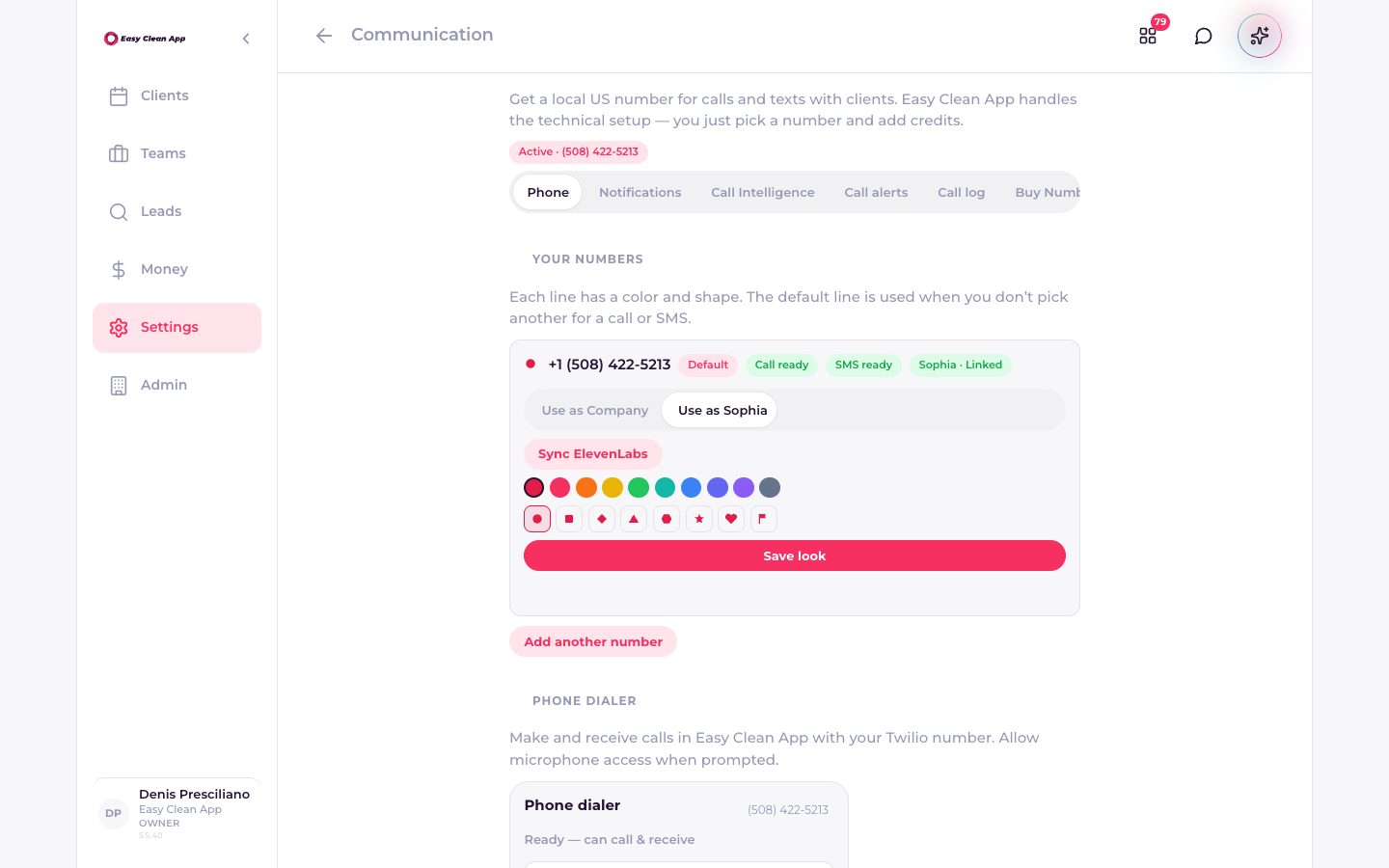
Claim a number. Calls and texts go through Easy Clean App, and the thread stays on the client. Notifications cover on the way, started, finished, invoices, and reviews, so the “are you coming?” text has less reason to exist.
- A company line for calls and SMS.
- Call history and call intelligence next to the work.
- The same number can be linked to Sophia.
The assistant spends what you can see.
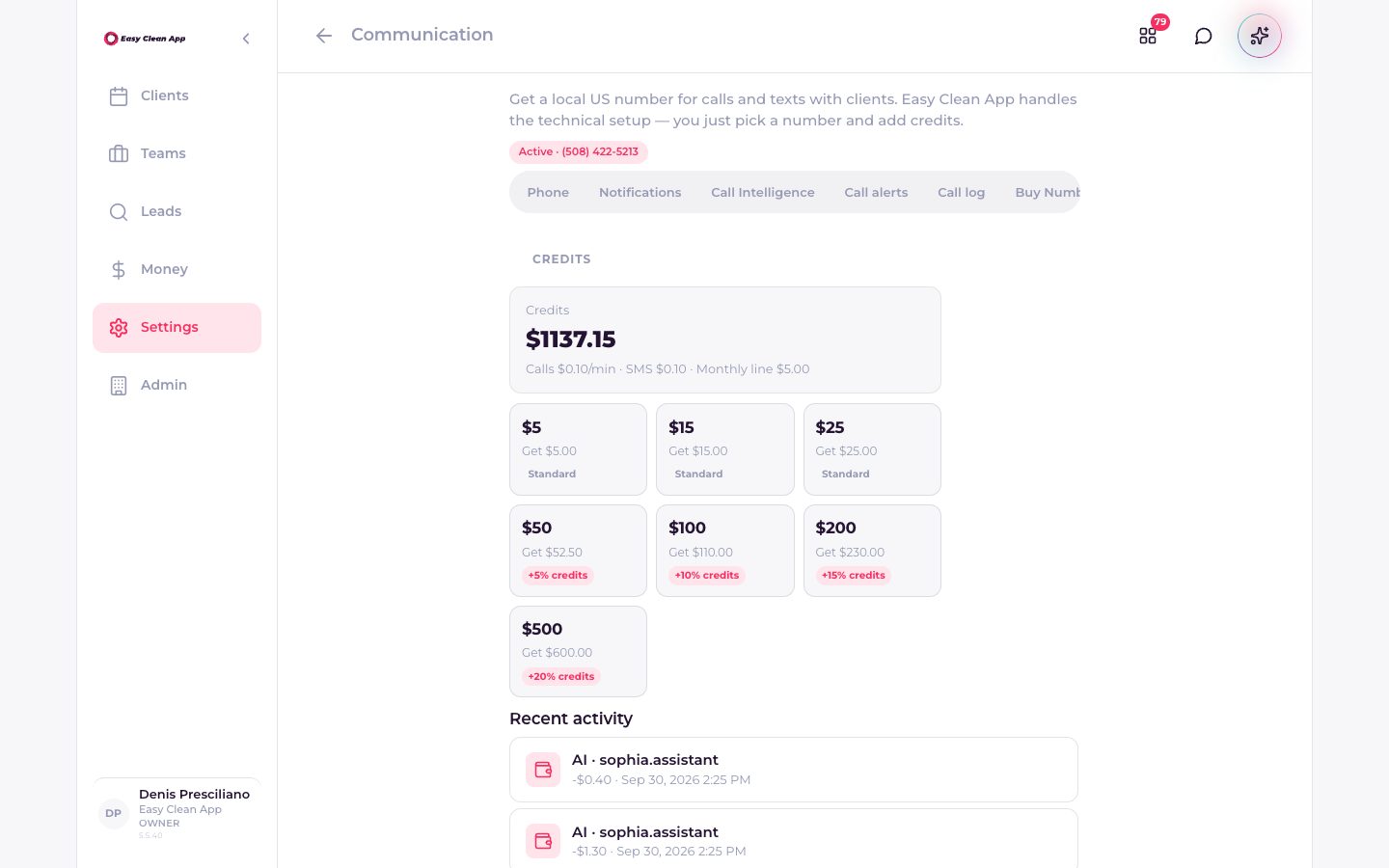
Sophia drafts, suggests, and can place a call on a dedicated line. Nothing goes out until you approve it. Calls, texts, and Sophia draw from one credits balance. The balance is on the screen, and it does not go negative.
- Ask from the schedule. She answers about the company you have open.
- Every AI charge shows in recent activity.
- Calls and SMS have a posted rate, so the spend is not a surprise.
The ads can look like the work.
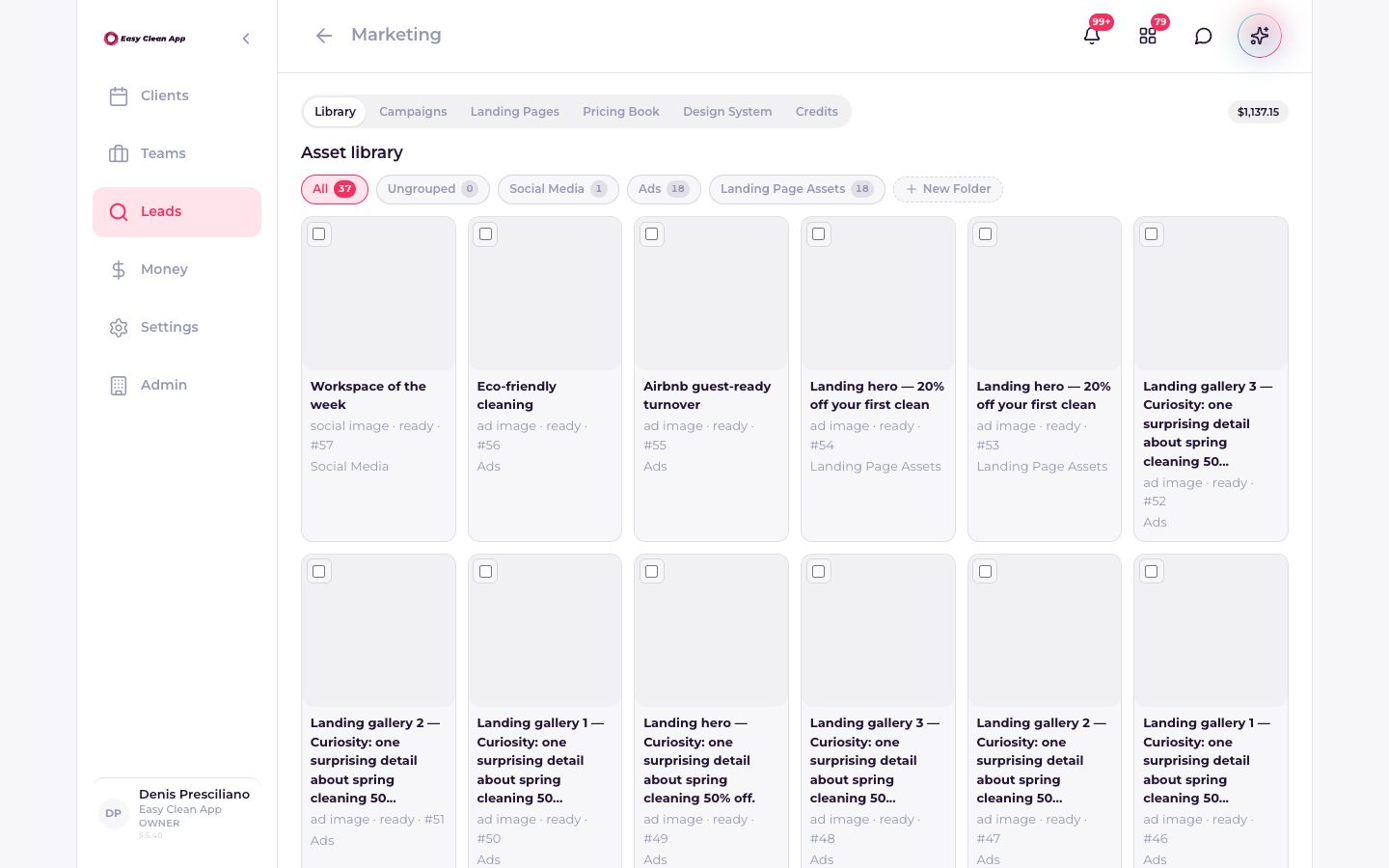
The marketing studio keeps a library of social images, ads, and landing-page assets, plus campaigns, a pricing book, and the design system those creatives follow. Generation draws from the same credits wallet.
- Library, campaigns, landing pages, and a pricing book.
- Assets grouped by social, ads, or landing pages.
- Built from your brand, not a generic template.
One login. The books stay with the brand.
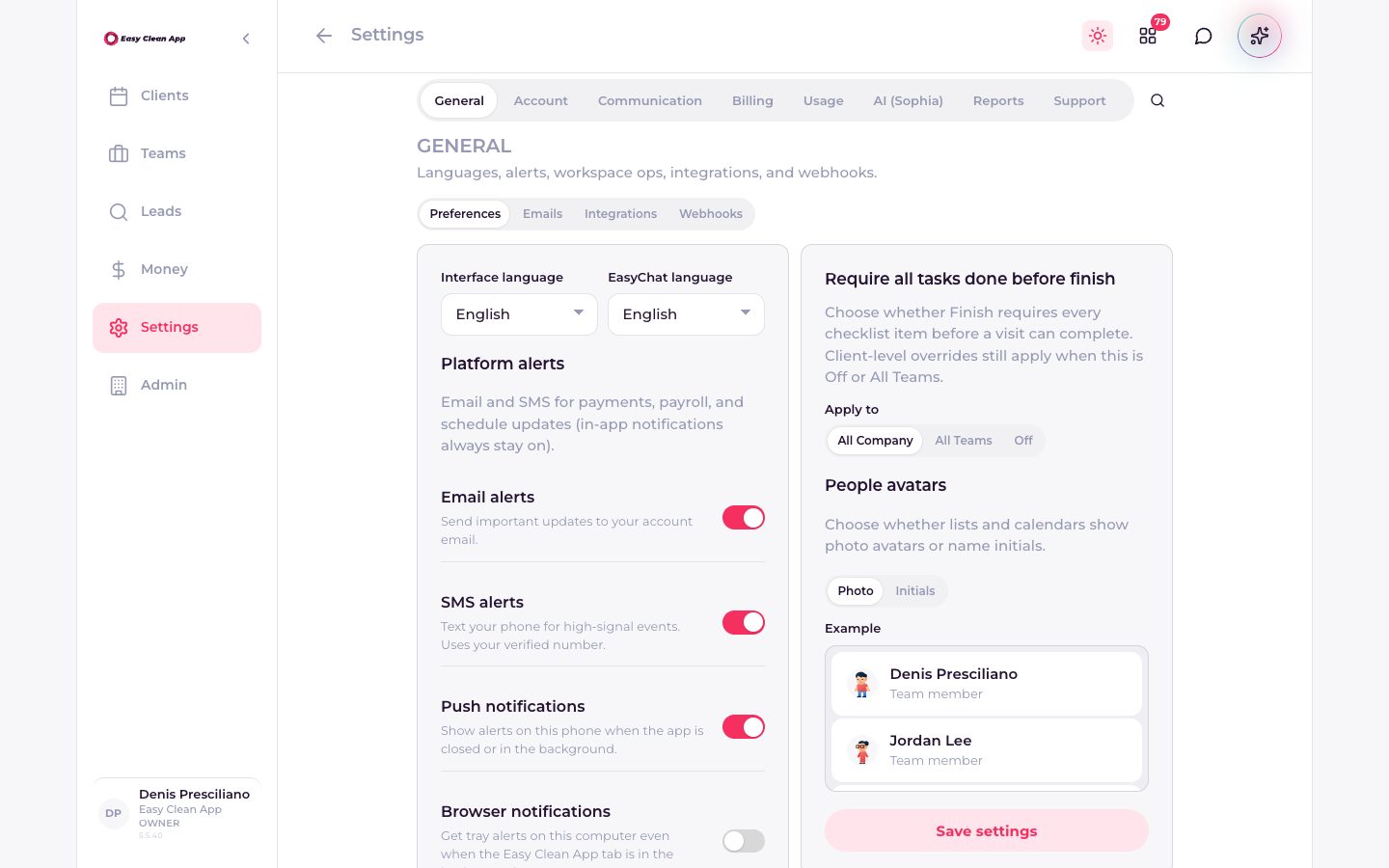
Settings hold the language of the app and of client chat, the alerts for payments and schedule changes, and whether Finish waits for every checklist item. Workspaces keep a second company separate: clients and money do not cross.
- English, Portuguese, and Spanish.
- Email, SMS, and push for the events that matter.
- Switch companies without a second account.
Board. Visit. Close.
Three moves. The rest is the cleaning.
Put the day on the board
Clients, properties, and visits in calendar, list, or map. Route IQ orders the drive so the van spends its time at the house.
Run the visit
Tasks, photos, and a clock-in that waits until the crew has actually arrived. Checklists can gate Finish when you want that discipline.
Close the loop
Finish summary, invoice, client update. Credits for SMS, calls, Sophia, and marketing stay at zero or above — the app will not spend what you don’t have.
The books stay with the brand.
One login can hold several cleaning companies. What belongs to one does not leak into the next.
Also on the same visit: leads and estimates, a marketing studio for posts and video, and a company phone with the thread kept on the client.
Workspaces don’t mixClients, visits, and money stay inside the company you have open.
A number that isn’t personalClaim a company line. SMS and call history sit on the client profile.
Leads become visitsAn estimate has a stage. A won lead lands on the schedule instead of starting a new doc.
Marketing that matches the brandPosts, ads, and video generated from your design system and real job photos.
A wallet you can seeTexts, calls, Sophia, and marketing draw from one Credits balance. It does not go negative.
Start free. Add the rest when the day needs it.
Open the company, put a visit on the board, and invite the crew. Phone, Sophia, and marketing can wait until you want them.
The first afternoon
Create the company.Name, brand, and the workspace the books will live in.
Add a client and a property.The home is the record. Notes, photos, and visits hang off it.
Put tomorrow on the board and invite the crew.Helpers see their jobs. You see the day.
Turn on the company number, invoices, or Sophia when you’re ready.Each one spends Credits only after you have them.
Questions, answered.
Who is it for?
What does “start free” include?
Will Sophia text my clients on her own?
What is GeoFence?
Can I run more than one company?
Can AI2 build something like this for my trade?
Want this kind of product for your own trade?
We design software and AI around the way a business already runs, in English or Portuguese.